
Introduction
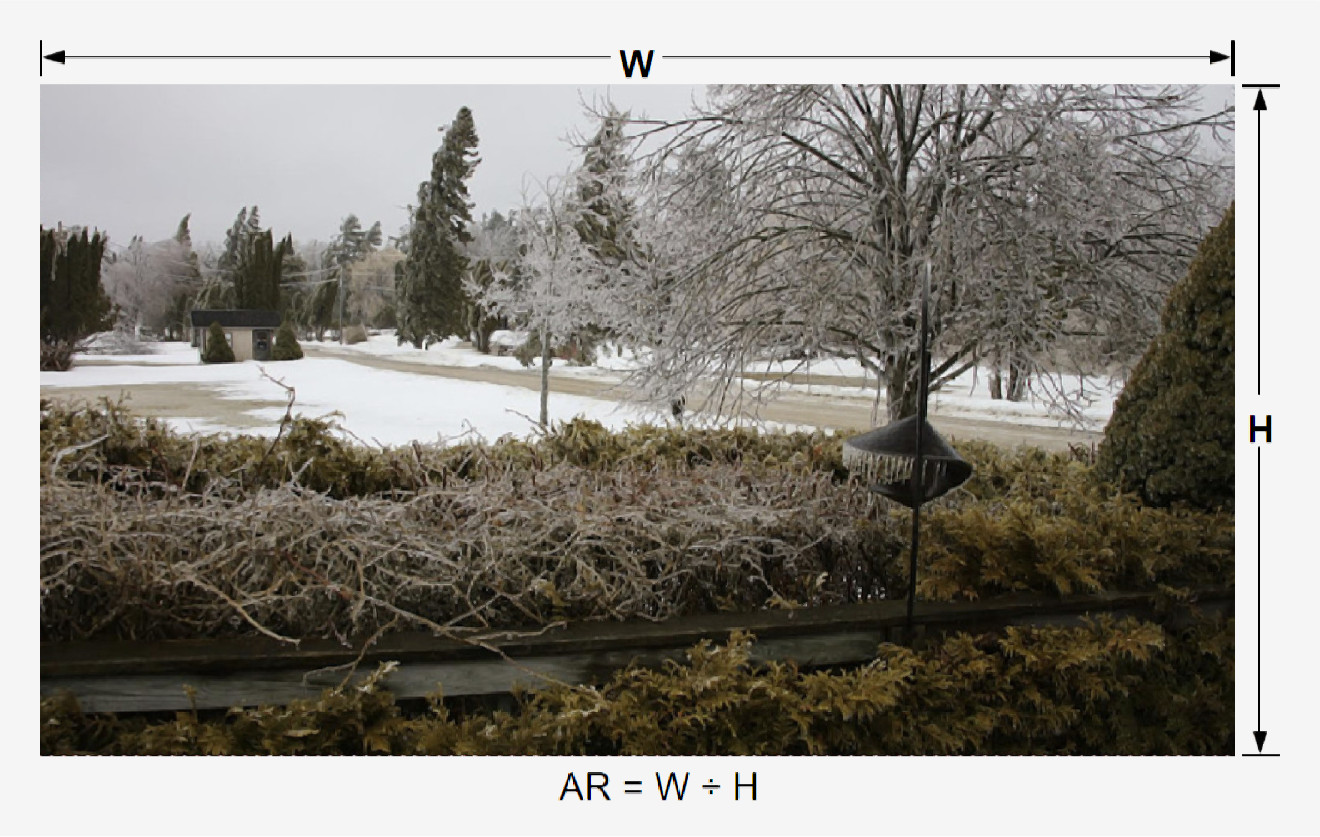
Geometric shapes including circles, rectangles, squares, and triangles have an Aspect Ratio (AR) property. In rectangles and squares AR is width divided by height, expressed as a ratio. For example, all sides of a square are of equal length. For a square with W=1 & H=1, AR=1/1, 1:1, or one to one.
In this discussion, image is a copy/rendering of a person, place or thing. Things include physical and virtual objects. Virtual objects include computer monitor displays. Image storage forms include: paper, canvas, light-sensitive film, and digital files.
Orientation
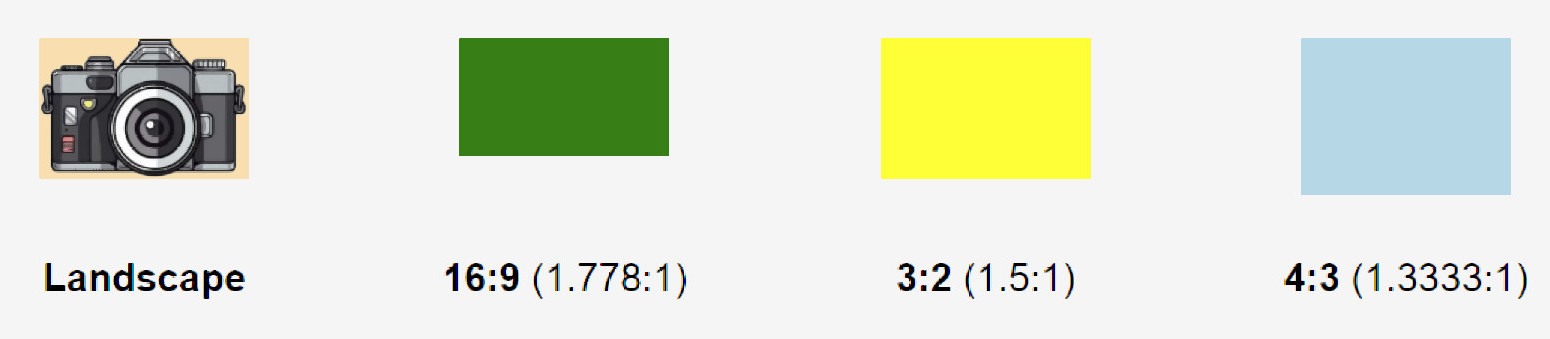
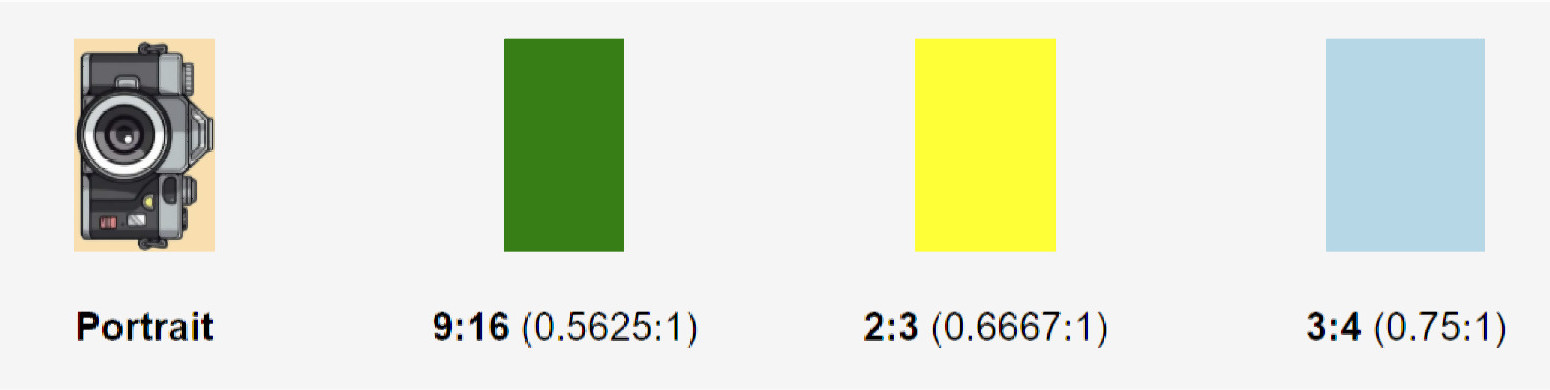
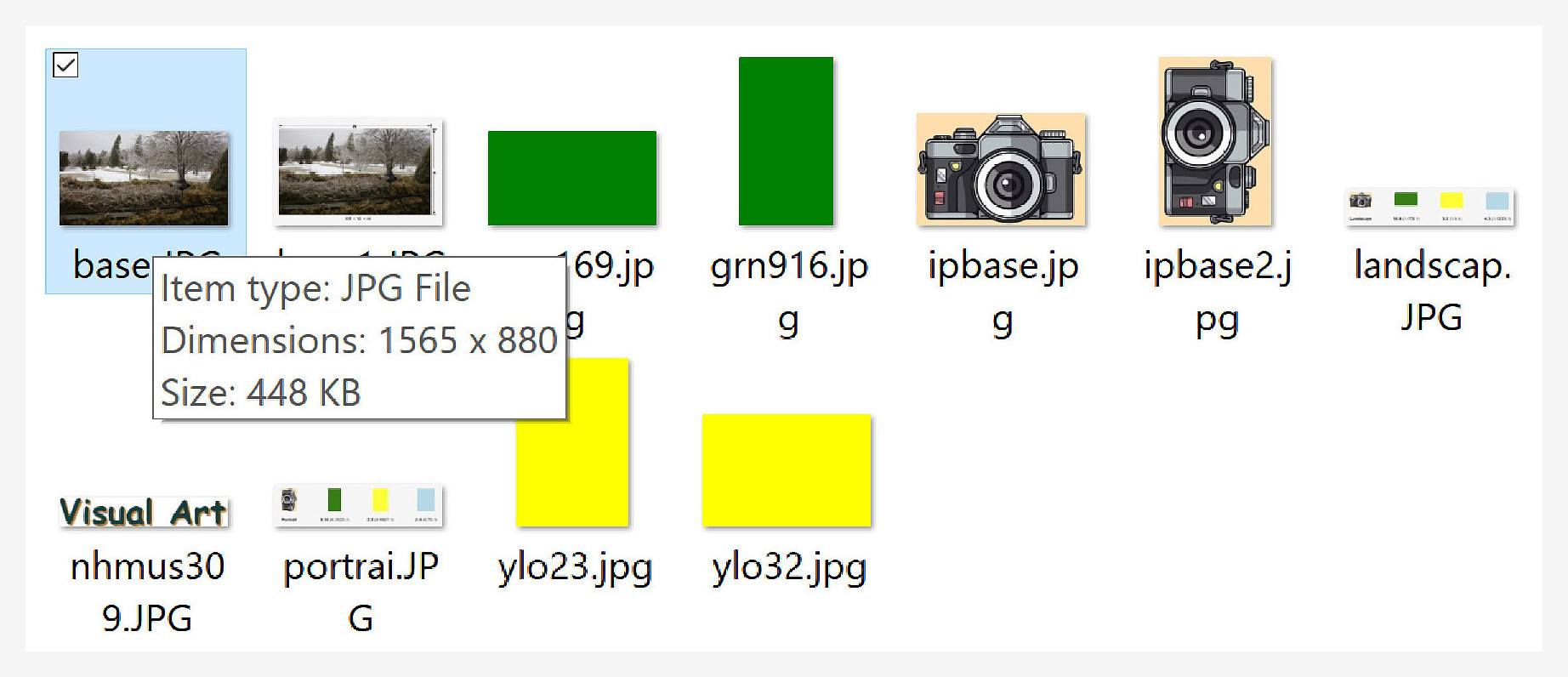
Rectangles with W > H are "Landscape" oriented. Where the rectangle's H > W, orientation is "Portrait". The following illustrate typical camera ARs in both orientations.
Geometric shapes including circles, rectangles, squares, and triangles have an Aspect Ratio (AR) property. In rectangles and squares AR is width divided by height, expressed as a ratio. For example, all sides of a square are of equal length. For a square with W=1 & H=1, AR=1/1, 1:1, or one to one.
In this discussion, image is a copy/rendering of a person, place or thing. Things include physical and virtual objects. Virtual objects include computer monitor displays. Image storage forms include: paper, canvas, light-sensitive film, and digital files.
Orientation
Rectangles with W > H are "Landscape" oriented. Where the rectangle's H > W, orientation is "Portrait". The following illustrate typical camera ARs in both orientations.
Which AR?
An early composition choice faces the artist/photographer. Shape the canvas to fit the image, or shape the image to the canvas. The first choice is a matter of composition. The artist/photographer chooses the AR which best suits the artist. In practice the choice is usually landscape or portrait. Fine tuning the AR within these categories may improve composition.
The second choice shapes the image to fit the intended display's AR. For example, High Definition Multimedia Interface (HDMI) is widely used in: smart TVs, computer monitors, cell phones, etc. HDMI's AR is 16:9. A 16:9 image could be shown completely as a full screen HDMI display. Some social media platforms have AR requirements for proper display in their format.
An early composition choice faces the artist/photographer. Shape the canvas to fit the image, or shape the image to the canvas. The first choice is a matter of composition. The artist/photographer chooses the AR which best suits the artist. In practice the choice is usually landscape or portrait. Fine tuning the AR within these categories may improve composition.
The second choice shapes the image to fit the intended display's AR. For example, High Definition Multimedia Interface (HDMI) is widely used in: smart TVs, computer monitors, cell phones, etc. HDMI's AR is 16:9. A 16:9 image could be shown completely as a full screen HDMI display. Some social media platforms have AR requirements for proper display in their format.
AR Modifications
The illustration below shows a file managing app's MetaData window for a selected file. The window contains the image's dimensions, in Pixels (px). The image's AR is 16:9, 1565/880=1.778:1.
The illustration below shows a file managing app's MetaData window for a selected file. The window contains the image's dimensions, in Pixels (px). The image's AR is 16:9, 1565/880=1.778:1.
An example:
Objective
Given
•
Revise the selected image to produce a 36" wide canvas print. •
Canvas print sizes increment in one inch steps.
•
Selected image dimensions are 1565px x 880px, AR = 1.778:1.
•
Modified image dimensions shall be integers.
Then 1.
Calculate original width px/inch.
px / inch = 1565px / 36", or 43.47222222222222px.
px / inch = 1565px / 36", or 43.47222222222222px.
2.
Convert original height to inches
880/43.47222222222222 = 20.24281150159745".
880/43.47222222222222 = 20.24281150159745".
3.
Round down print height to 20".
4.
Canvas print size is 36" x 20".
5.
Convert 20" to revised image height in px.
20 x 43.47222222222222x20=869.4444444444444px.
20 x 43.47222222222222x20=869.4444444444444px.
6.
Round down revided image height to 869px.
7.
Revised image dimensions are 1565px x 869px, AR = 1.801:1.
8.
Create revised imahe. Crop 11px from original image height.
From 880px to 869px.
From 880px to 869px.
9.
Save revised image as canvas print source. It's ready to print!
(Adjusted height accuracy within 0.5px. Not bad!)